
Clubspot Launch Notes – October 9, 2026
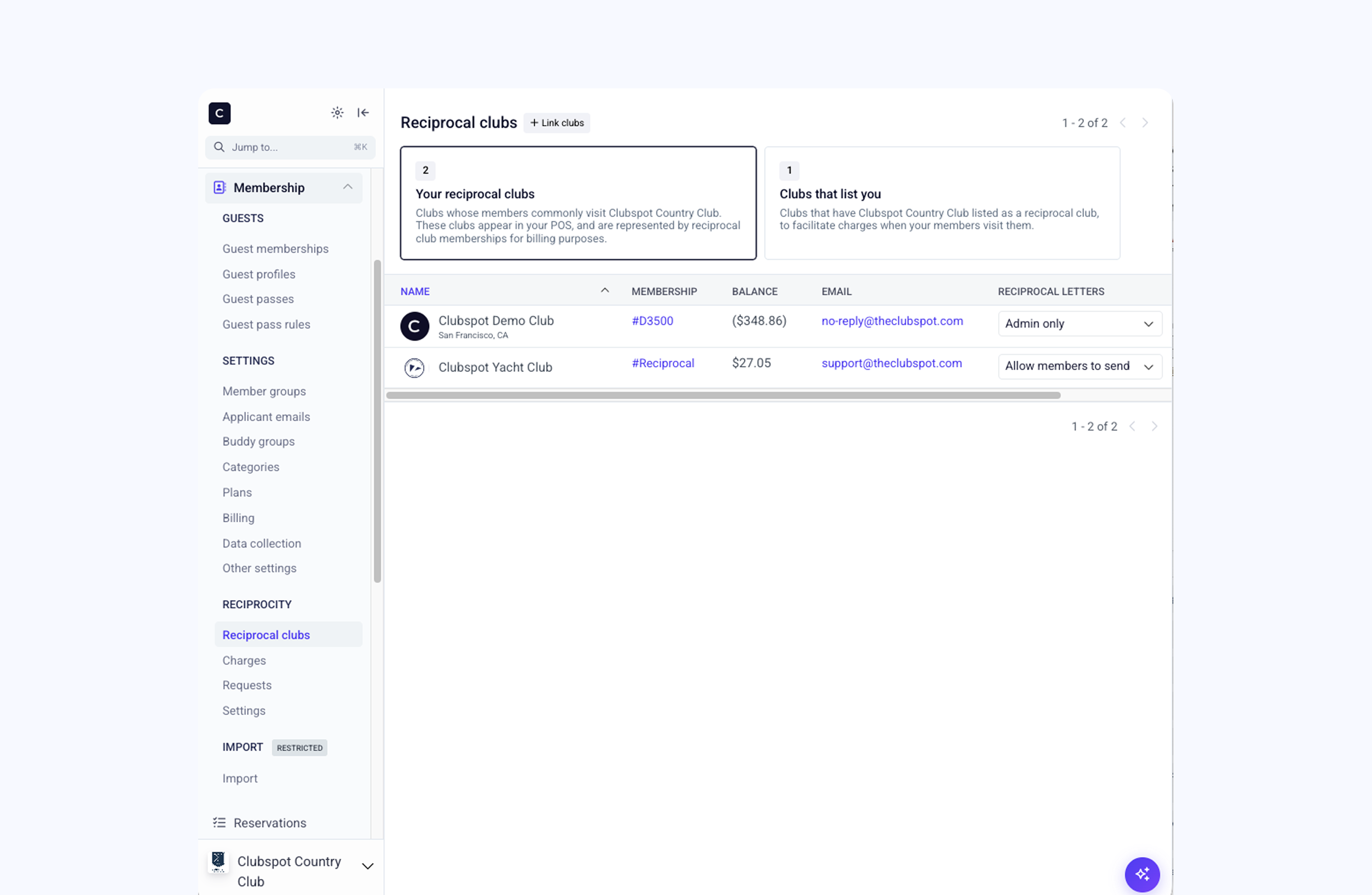
A new centralized reciprocity section is just one of the new features that Clubspot has shipped in the past two weeks.
Clubspot is always shipping new features and updates, and we want to keep you in the loop. Because the platform is cloud-based, improvements can roll out in days and weeks rather than the months and quarters common with legacy software.
Here’s what’s new from the past two weeks:
Smarter Kitchen Display System Profiles
Clubspot's Smart Tickets app now supports configurable KDS profiles that save location filters, tags, and display settings, with additional filtering by product subtype. Administrators can create profiles from the dashboard, or kitchen teams can save their current KDS settings as a new profile directly from the display.
More Flexible Simulator Booking Limits
Clubs can now allow members to book beyond their category or add-on frequency limits using a separate "exceeded frequency" product. Simulator reservations can also split time between minutes within the member's allowance and those exceeding it.
New All-Day Kitchen Views
New all-day KDS views let kitchen teams see total product quantities or a detailed breakdown of individual items and modifiers, such as cooking temperatures. Clubs can configure these views within their KDS profiles, including which modifiers appear and whether notes are displayed separately.
Expanded Reciprocal Club Management
A new Reciprocity section under Membership gives all clubs a centralized place to track reciprocal clubs, contact information, and outstanding balances. Configurable settings now support reciprocal letter requests from members or staff, customizable templates, request history, and enhanced membership lookup and validation for reciprocal visits.
Streamlined Inventory Counts
Clubspot now supports two inventory count templates: a standard format with one row per product or option, and a traditional scanner-friendly count sheet where each row represents a quantity of one. Clubs can choose the format that best fits their existing inventory workflow.
