
Clubspot POS v5.4: What’s Changing (and Improving)
By Fritz Baldauf
We’ll be rolling out Point of Sale v5.4 to all clubs on Monday April 6th. This update is designed to improve day-to-day operations for your staff and members, with a focus on speed, clarity, and an improved mobile experience. Many clubs are already using this version, and for those who aren’t yet, this serves as a preview of what’s coming and what to expect. If you would like to update to this version prior to April 6th, or have any other questions don’t hesitate to reach out at support@theclubspot.com
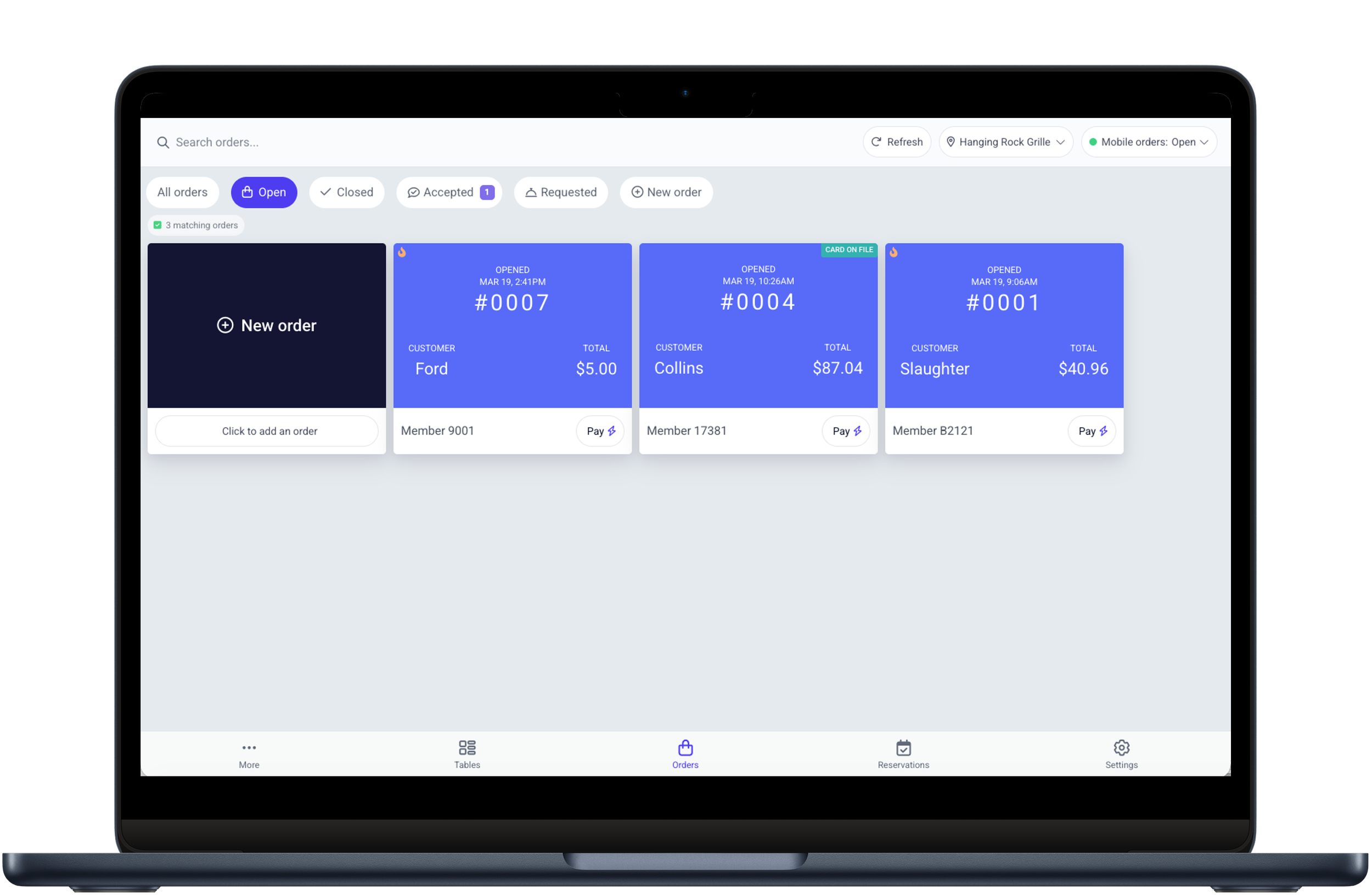
A More Logical Workflow
Key actions are now repositioned for easier reach, with primary controls moved to the bottom for a more natural workflow on touch devices.
What has changed?
One noticeable update is the positioning of key menus on the orders screen. The settings button has moved to the bottom right, and the “more” menu is now located on the bottom left. This change keeps key actions within easier reach—especially on handheld devices—making navigation more natural during service. Now for the more exciting updates below!
Introducing Host Mode and our Handheld POS
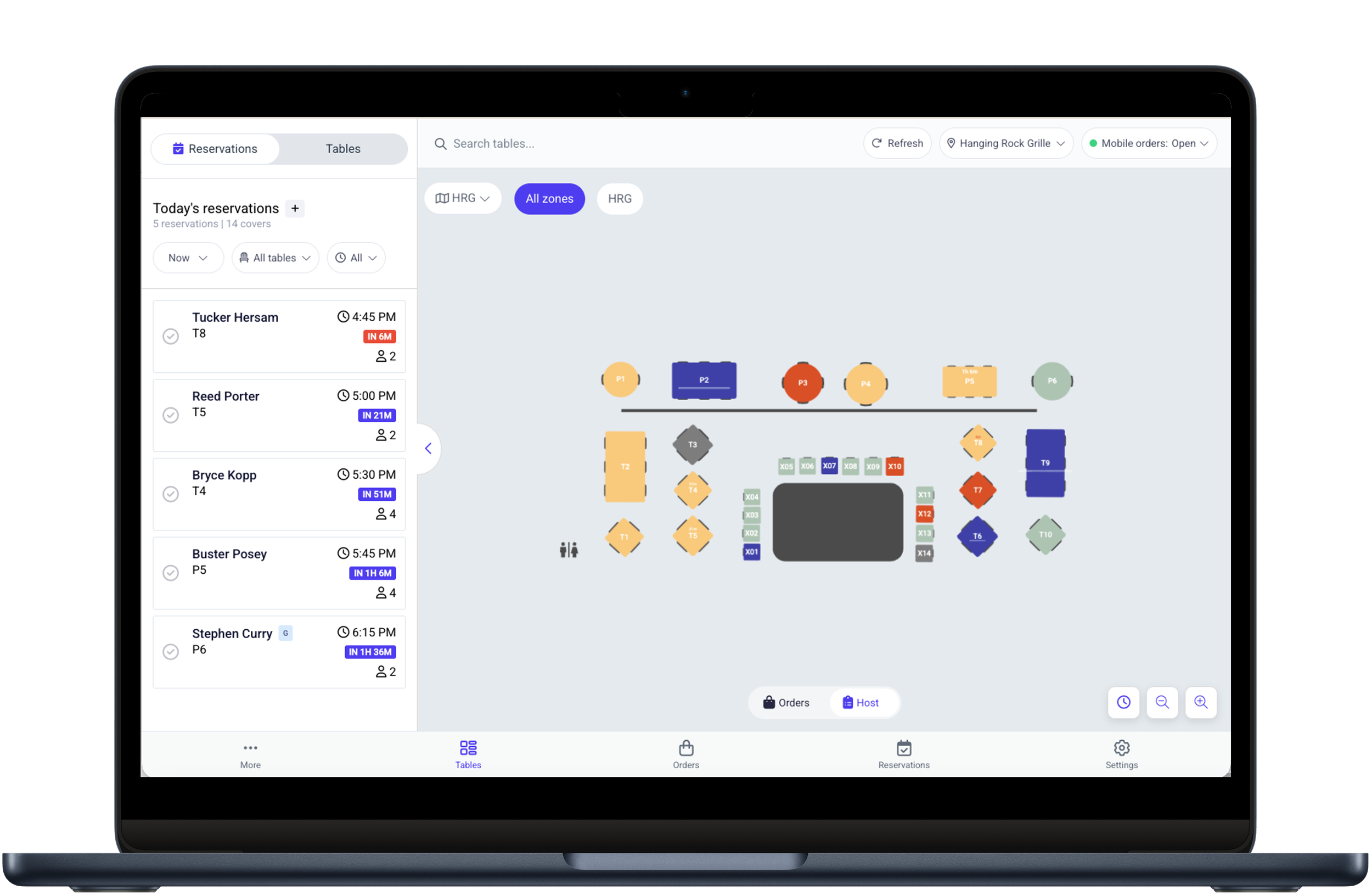
Sleek and Modern Host Mode
Host Mode provides a real-time view of your dining room, helping staff manage reservations, table status, and guest flow with clarity.
POS v5.4 introduces two major new capabilities: Host Mode and Handheld POS functionality.
Host Mode gives your team a live, centralized view of the dining room, including table status, reservations, and seating progress. Staff can quickly understand what’s available, what’s reserved, and what’s turning — making it easier to manage guest flow and stay ahead of busy periods.
Toggle to view availability within host mode to see open spots for adding reservations directly onto your existing table layout. Staff can plan ahead, coordinate seating more effectively, and ensure reservations are handled smoothly from arrival through service. Together, these tools help create a more organized and proactive approach to managing the floor.
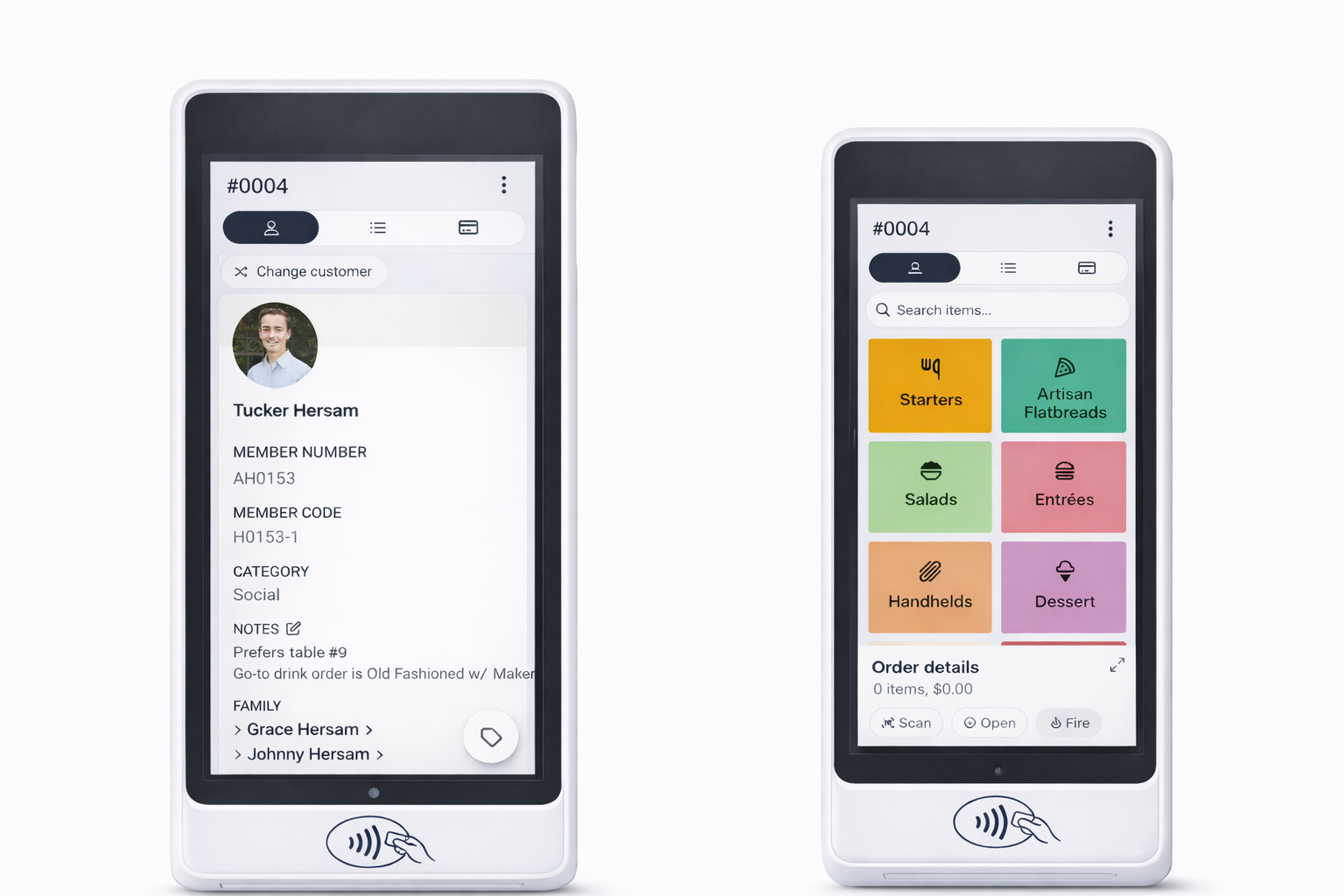
Handheld POS for Clubs
Seamlessly adaptable to card readers, Clubspot POS 5.4 enables staff to take orders, fire tickets, and securely process payments and tips right at the table.
POS v5.4 also supports the mobile view for clubs using the POS on smaller devices, or for those using the new handheld S700s. These changes allow for seamless operation on smaller devices and the S700 card readers allow for an all in one, order and pay at table experience where orders can be entered and fired, and payments and tip can be collected for cards or House accounts all at the table.
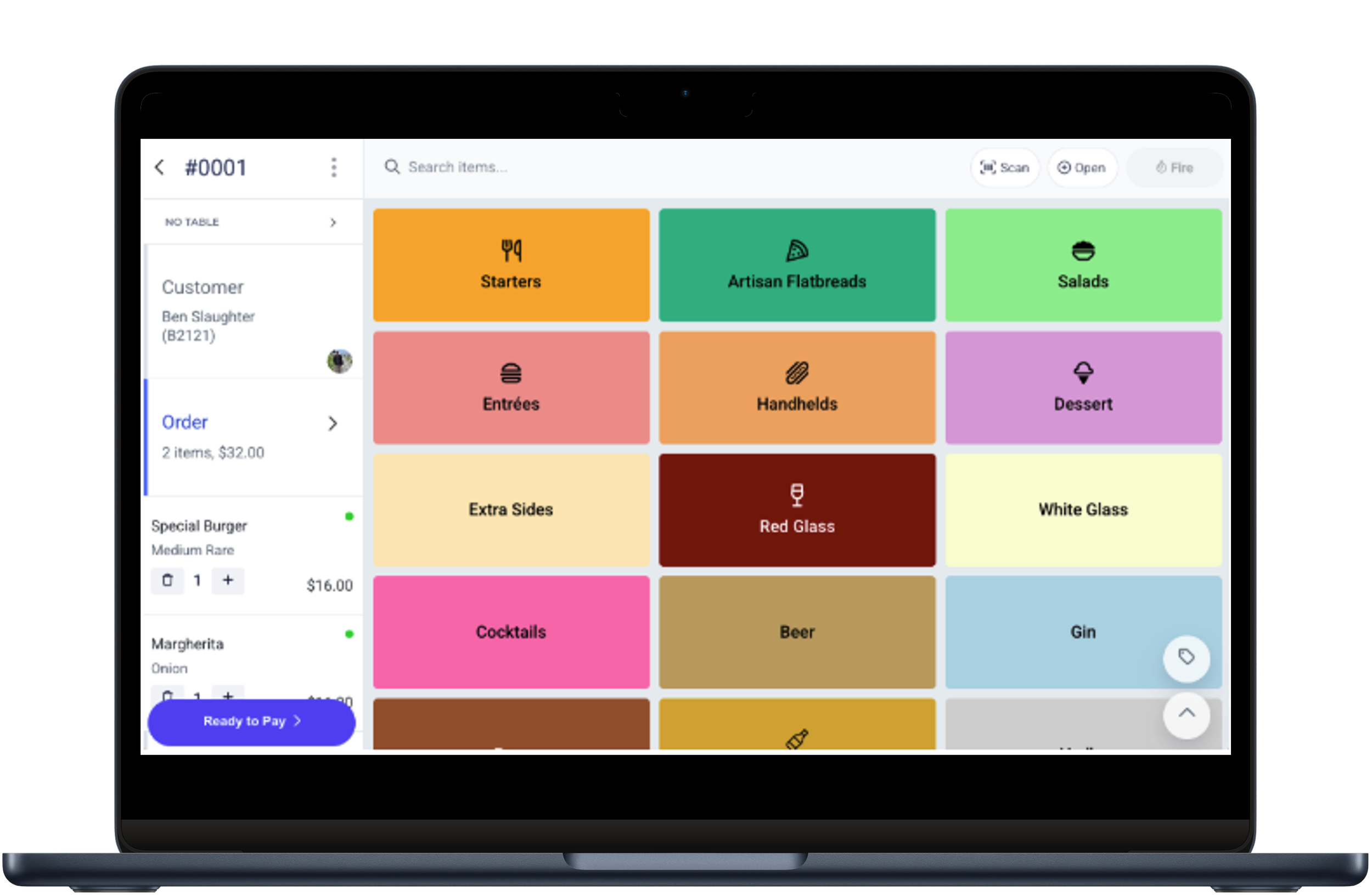
Product Hierarchy
The new product hierarchy grid organizes menu categories into a clean, visual layout—making item selection faster and more intuitive during order entry.
Included in this release is a new Product Hierarchy display option. This replaces the previous tag-based layout with a grid view, allowing staff to access product groupings more quickly and intuitively during order entry.
In addition to these new capabilities, v5.4 includes a number of smaller improvements that streamline everyday workflows. Staff code entry is easier to navigate, guest name entry is faster, and table management is more flexible—making it simpler to adjust orders without interrupting service. Payments have also been streamlined, with a more focused checkout flow and a smoother tipping experience for members.
As your club transitions to POS v5.4, our team is available to answer any questions and support a seamless rollout.
Ready for modern Point of Sale at your private club? Book a demo today.
